A space that feels like you.
A simpler header, your own collection of themes, and important mail close at hand.
Everything in its place
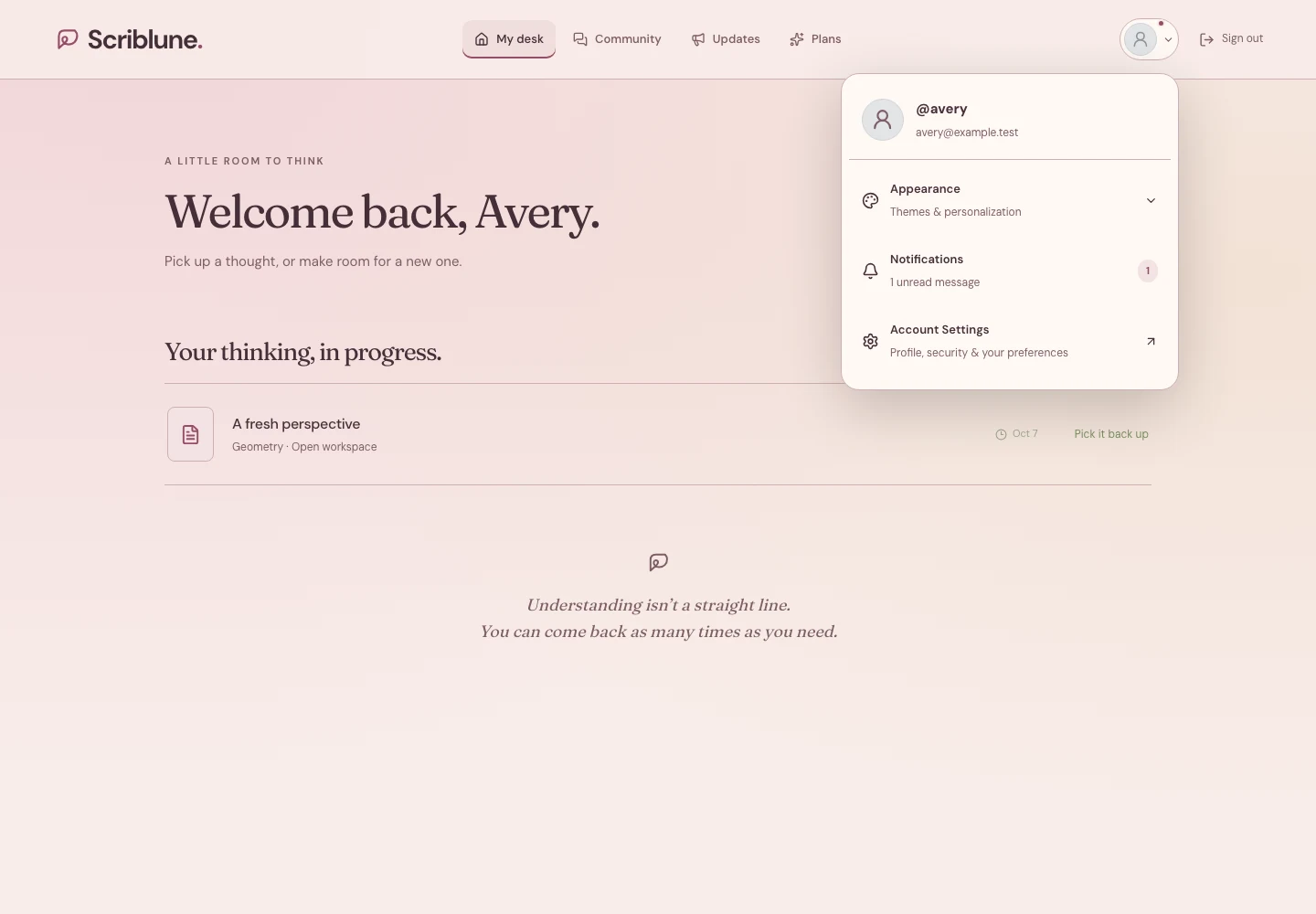
Navigation on the desk and interior pages now sits in the center. Open your profile picture at the top right to see your username and email, choose your appearance, read notifications, or open Account Settings. Sign out stays beside your picture. The separate Preferences, theme, and notification controls have moved into this menu.
The front page keeps its familiar navigation. Smaller screens arrange the interior navigation beneath the logo and account controls.
Five new moods for your desk
Meet Midnight Atlas, Rosewood, Celadon Garden, Golden Solstice, and Amethyst Hour. Each special theme brings coordinated colors to page backgrounds, panels, borders, controls, and account emails. Special themes appear in your appearance picker when your account has access.
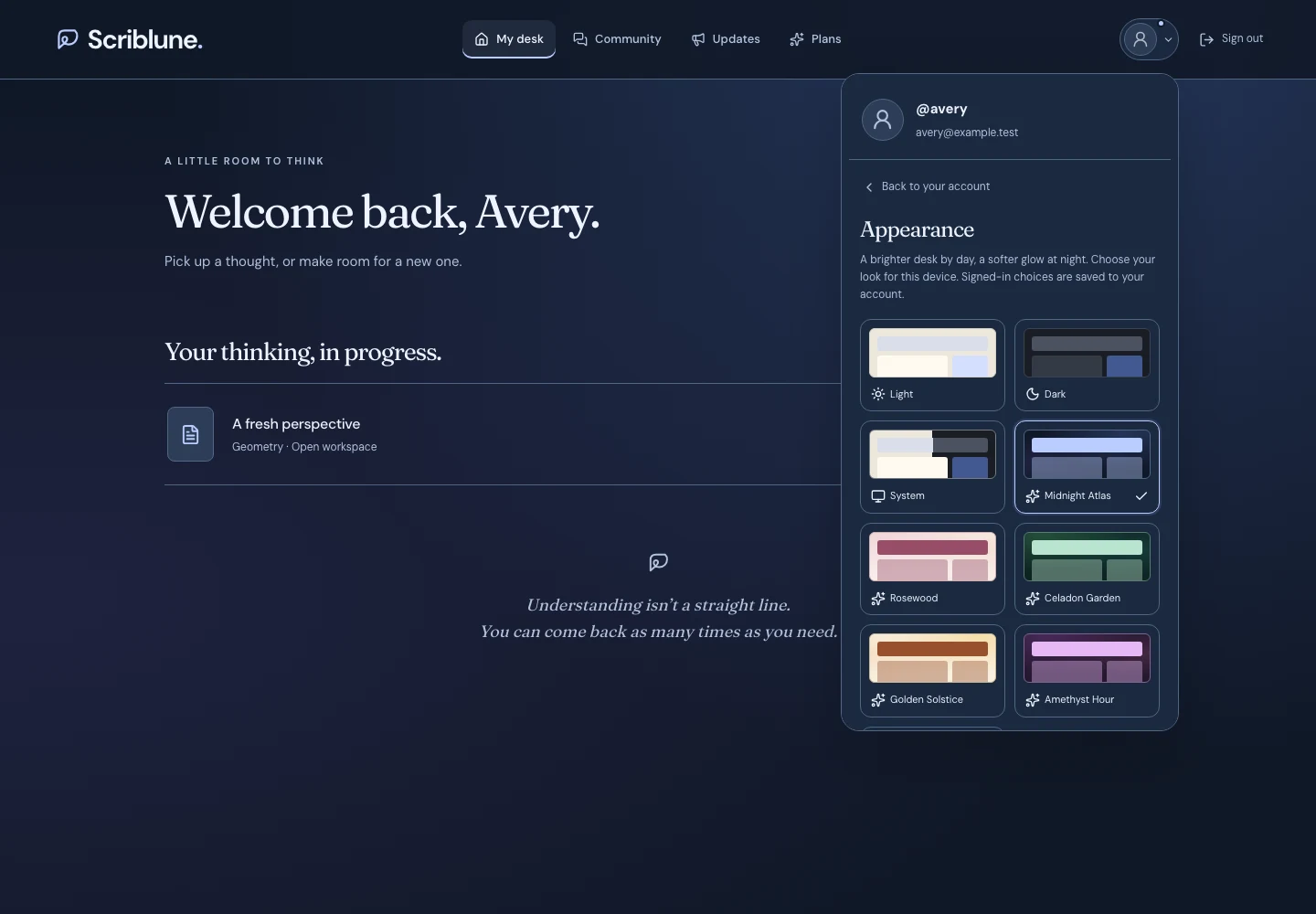
Example account with special-theme access. Your available collection may differ.
Your choice saves to your account and follows you around the site. Light, Dark, and System remain available, and Aurora remains an eligible referral reward.
Important mail, close at hand
Your profile menu now opens Notifications. The small indicator on your picture lets you know when unread mail is waiting. Open a message to read it on its own page, or choose View all mail for your inbox.
Account messages include completed sign-ins with an approximate location and device when available, password changes, two-step method changes, and backup-code changes. Location is approximate and may reflect your network. Messages use your account’s saved appearance. Sensitive sign-in codes and recovery links are not copied into the in-site inbox.
A clearer plan comparison
Teaching boards now appear directly below practice quizzes in each plan’s capabilities. Focus and Flexible include boards. The detailed explanation below the cards covers their session and voice-credit usage without repeating the rate inside every card.