A first look at V2.
A sneak peek at the Study reel: your page in focus, your saved work close by, and a familiar place to keep learning.
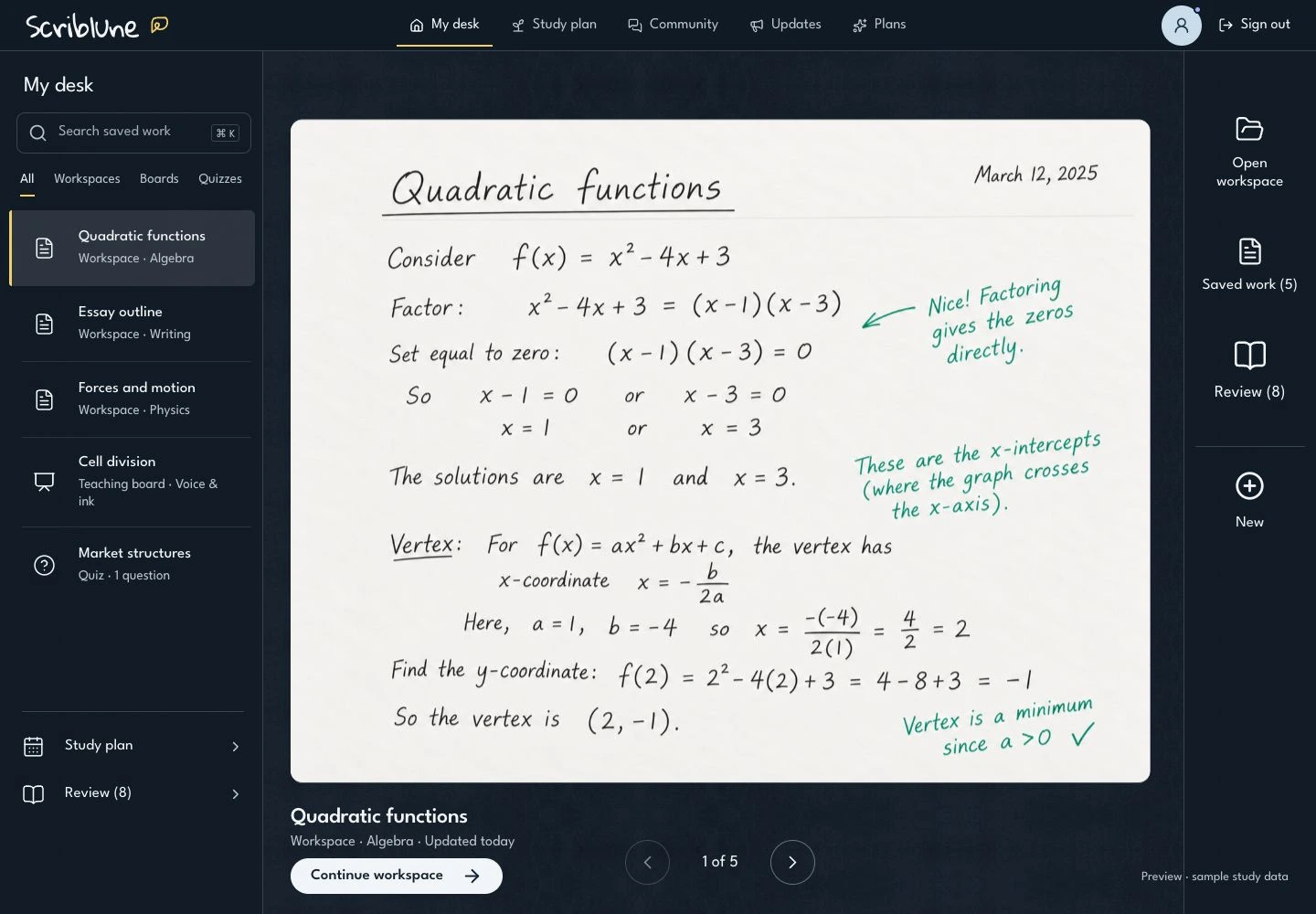
Your next page, already in view
Meet V2, a new look for Scriblune, starting with the Study reel. Your current page gets the center of the desk, with a preview of your saved work and a clear Continue action to pick up where you left off.
On a larger screen, your saved-work index stays beside the preview. Search by title or subject, or use All, Workspaces, Boards, and Quizzes to narrow the list. Move between items with the previous and next controls, then open the one you want to work on.
New, Study plan, and Review stay close by. Your existing tutoring tools are still there; this beta changes how you find and return to them.
Your theme belongs here
The new lettering, navigation, and quieter controls extend across the desk, account pages, community, and study tools. Your saved account theme carries into V2, including Aurora and any special themes you already have access to.
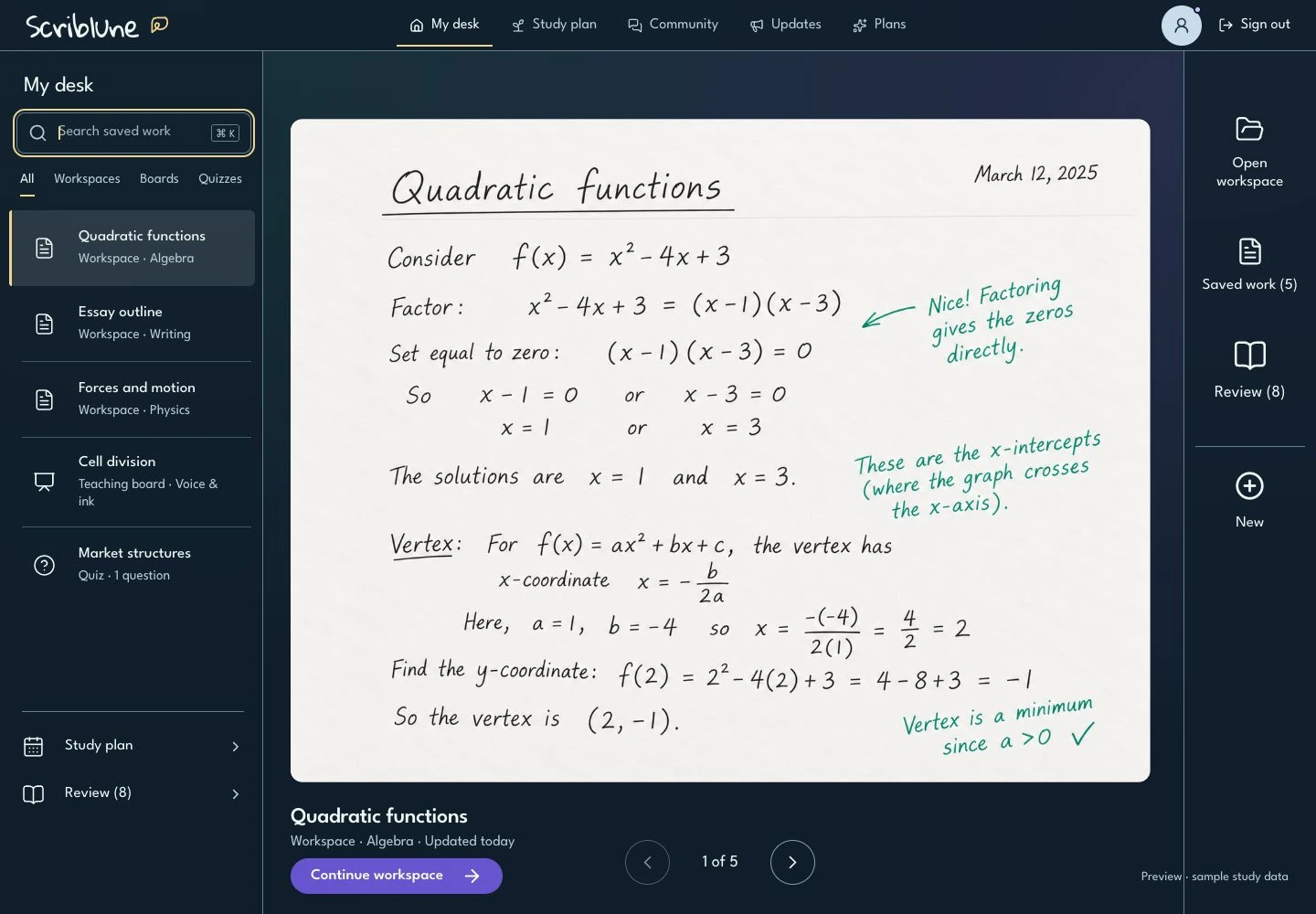
Aurora in V2. The document keeps its own paper and ink colors.
A smaller screen, the same next step
On your phone, Saved work opens the searchable list when you need it. The preview, item title, Continue button, and previous/next controls keep your current piece of work in focus. New is still within reach.
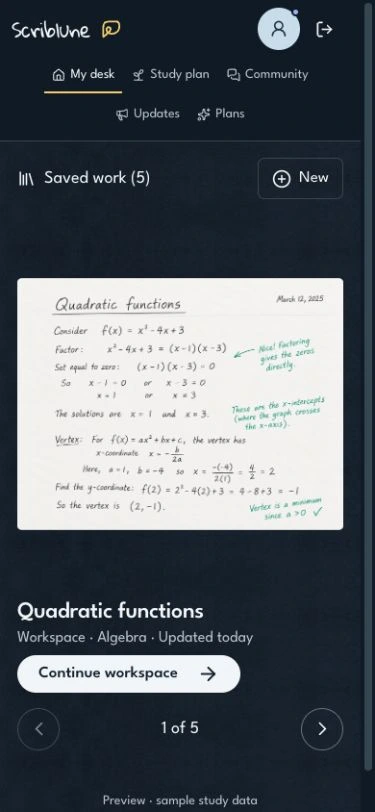
A phone preview with sample study content.
What the beta means for your account
V2 is available through a limited account rollout. V1 is the classic interface; V2 · Beta is the Study reel redesign. Seeing this preview does not enable the beta for your account. If access has not been enabled, keep using V1 as usual.
Both versions open the same saved work. Changing your interface does not create another desk, reset progress, change your plan, or unlock paid features. Your workspaces, boards, quizzes, study plan, and existing offline tools keep their current access rules.
One place for every update
The Updates newsletter and What’s new popup share the same releases in V1 and V2. You can read this preview from either interface. Dismissing an announcement on one version keeps it dismissed when you switch versions on the same account and browser.
Want to revisit a release? Open Updates beside Community, or keep the downloadable notes below. Tell us what helps and what could be clearer in Community.
These screenshots show the beta interface with example study content, not a member’s private work. The beta may evolve as it is tested.